AUDIOBASH
FOR macOS
Voice-controlled terminal for developers. Native Apple Silicon and Intel Mac support. Speak commands, execute instantly.
Also available: Windows installer
WHAT'S_NEW
The macOS edition brings full feature parity
Native builds
Separate arm64 and x64 builds. Runs at native speed on M1, M2, M3, M4, and Intel Macs.
Shell integration
Uses your default shell (zsh, bash, fish). Full environment variable support. Just like Terminal.app.
Mac shortcuts
Option+S for push-to-talk. All 14 global shortcuts work with the Option key.
INSTALLATION
Get up and running in 60 seconds
Download the DMG
Choose the right version for your Mac:
Not sure? Apple menu → About This Mac → Chip (M1/M2/M3/M4 = Apple Silicon)
Drag to Applications
Open the DMG and drag AudioBash.app to your Applications folder.
Bypass Gatekeeper (important!)
AudioBash isn't notarized by Apple (costs $99/year), so you need to bypass Gatekeeper on first launch:
Option A: Right-click method (easiest)
Finder → Applications → Right-click AudioBash.app → "Open" → Click "Open" in the dialog
Option B: Terminal command
xattr -cr /Applications/AudioBash.appGrant permissions
macOS will ask for these permissions on first use:
- Microphone - Required for voice recording
- Accessibility - Required for global hotkeys (Option+S, etc.)
System Settings → Privacy & Security → [Microphone/Accessibility] → Enable AudioBash
Add your API key
Click the gear icon and enter your transcription API key. We recommend Gemini (free tier available):
Get a free Gemini API keyHOW_TO_USE
Voice-to-terminal in three steps
Press Option+S
Start recording. The voice panel appears with a pulsing indicator.
Speak naturally
"List all JavaScript files" or "git status" or "run npm test"
Release to execute
Press Option+S again. AI transcribes and executes in your terminal.
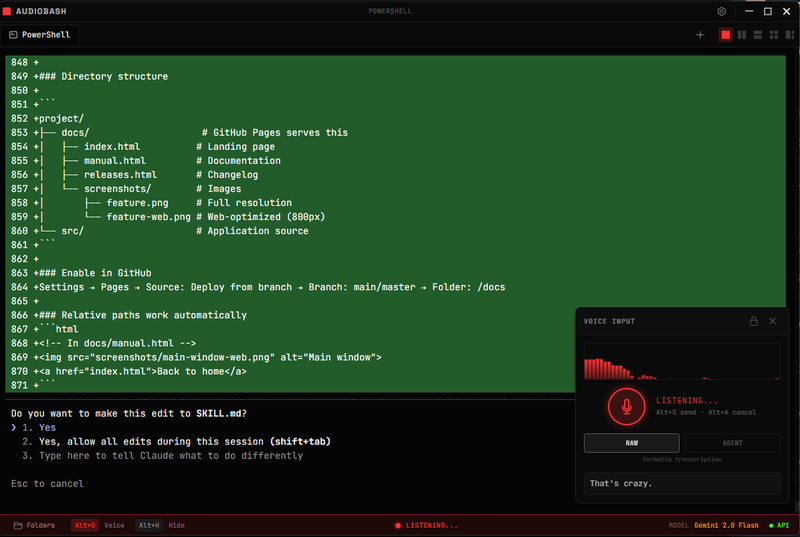
Voice input panel with waveform visualization and RAW/AGENT mode toggle
Keyboard shortcuts (macOS)
Option+S
Start/stop recording
Option+A
Cancel recording
Option+M
Toggle raw/agent mode
Option+H
Show/hide window
Option+C
Clear terminal
Option+L
Cycle layouts
Cmd+T
New tab
Cmd+W
Close tab
FULL_FEATURES
Everything included in v2.3.2
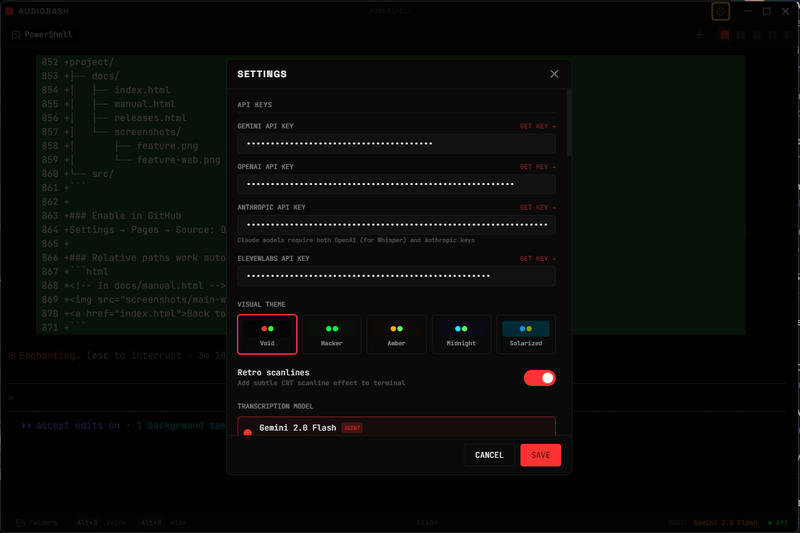
API keys and visual themes
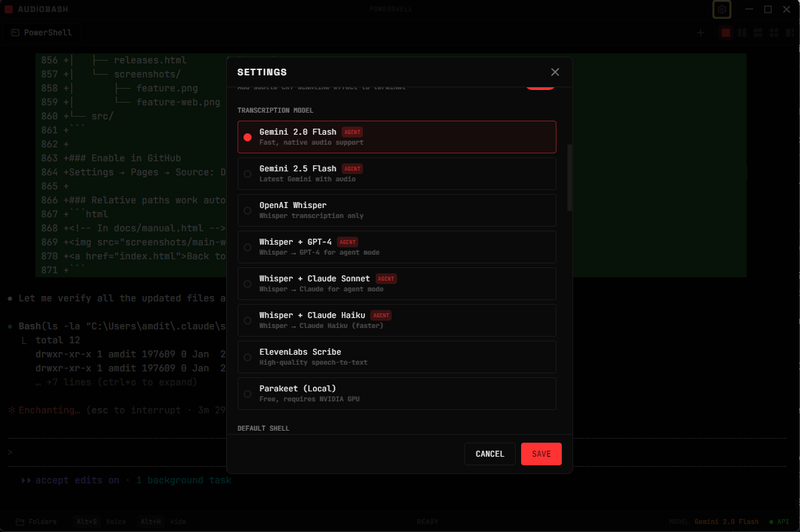
Multiple transcription providers
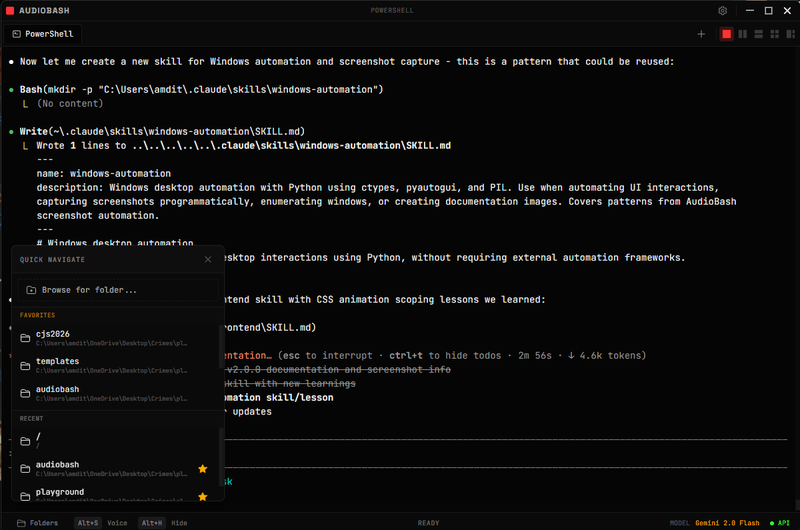
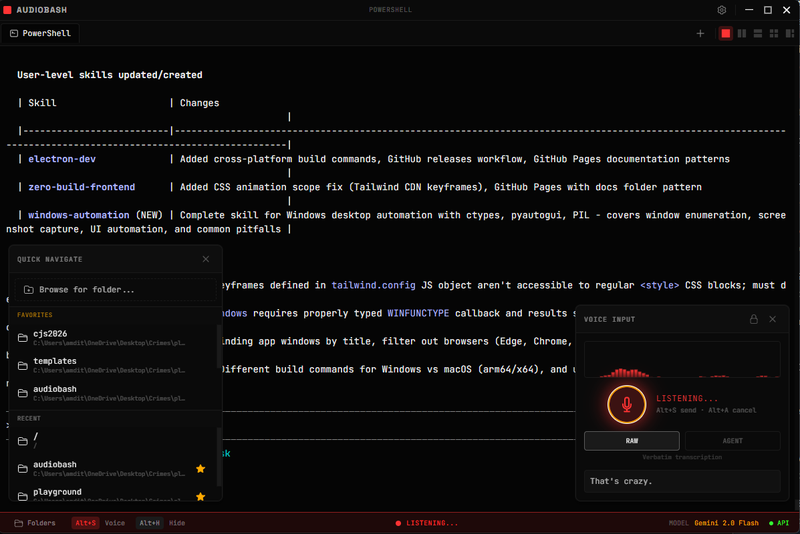
Quick navigation with favorites
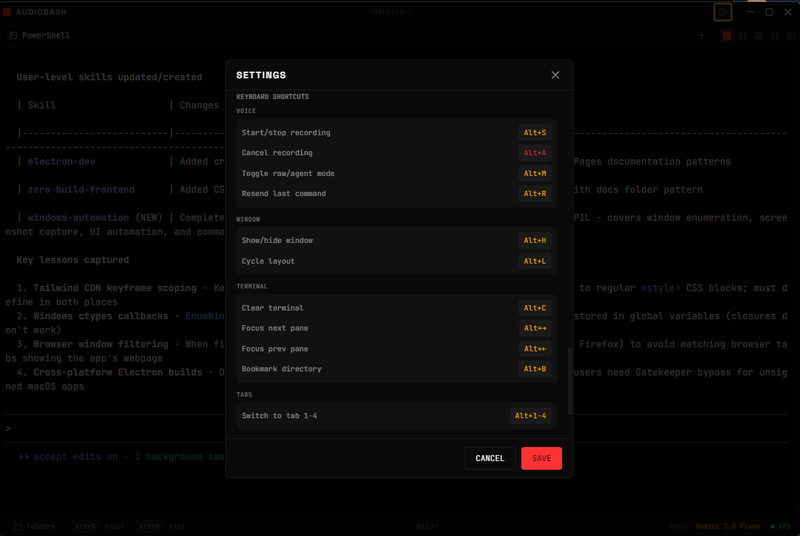
All keyboard shortcuts
Voice input
- • Push-to-talk with global hotkey
- • NEW: ElevenLabs Scribe v2 real-time (~150ms)
- • Multiple AI providers: Gemini, OpenAI, Claude, Groq
- • Raw mode (verbatim) or Agent mode (AI interprets intent)
- • Custom vocabulary for technical terms
Terminal features
- • Up to 4 tabs, each with its own shell session
- • 5 split layouts: single, horizontal, vertical, 2x2, 1+2
- • Resizable panes with drag dividers
- • Quick directory navigation (recent + favorites)
- • xterm.js with full ANSI support
Agent mode
- • Context-aware: knows your cwd, recent output, errors
- • Platform-aware: generates macOS-appropriate commands
- • Natural language to CLI translation
- • Customizable system prompt
Quality of life
- • CLI notification chimes (approval prompts, etc.)
- • System tray / menu bar integration
- • 5 themes: Void, Cyberpunk, Matrix, Amber, Ice
- • CRT scanline effect (optional)
- • Mobile remote control via WebSocket
KNOWN_ISSUES
What we're still working on
Unsigned app warning
You must right-click → Open on first launch or run xattr -cr. This is expected for apps not notarized by Apple.
Accessibility permission required for hotkeys
Global shortcuts (Option+S, etc.) require Accessibility permission. Grant this in System Settings → Privacy & Security → Accessibility.
Split view resize flicker
Rapidly resizing split panes may cause brief visual flicker. Working on improved debouncing.
Long recordings may delay
Recordings over 30 seconds may take longer to transcribe. Keep recordings short for best experience.
Found a bug? Report it on GitHub